Design
Visualize your idea and your thinking
Interaction Design ScriptHi, this is Simon and welcome to design theory!
Now it gets really interesting! We have analyzed our users, their goals and their environment and can finally get to designing our product. We will now speak about Interaction Design. This kind of designing focuses on form and on - this is important - behavior, since otherwise it would not be interaction design. It is like social interaction, it does not really work if only one person takes actions and the counterpart shows no reactions. When we want to achieve interaction design our system has to show a certain type of behavior depending on the actions of the human agent.
Since we speak about design a lot here, you might wonder why it is even considered as important. I hope that this will be clear after this lesson. Well, we should start designing before we start implementing, otherwise we might make the mistake of implementing something that's based on user needs but can't help them achieve their goals due to a bad user interface. If you're working in a team you should use the opportunity to communicate your design ideas in order to find flaws in your visual concept or to come up with new ideas. As i said, designing should happen before implementing and therefore it comes after analyzing the target group and the usage context. It is also a good idea to evaluate the design before you start implementing it.
This picture shows the human machine interaction model. The human operator receives a task by means of the sensory organs, processes the task and decides which input is necessary to solve this task. The agent's output leads to an input to the machine through the human machine interface. The machine then displays the results of the human machine interaction which in turn the agent perceives. This can lead to further inputs into the machine until the displayed output corresponds to the desired result and all this is essentially a very convoluted way of saying, if you press a certain key on your keyboard for example, the output appears on your screen.
As you most probably know, humans possess several sensors, but only a few of them can be used for interacting with the human machine interface. These are hearing, seeing and touching. All interfaces you come across today rely on those senses. Knowing this is helpful when you are designing your interface, because it shows you the possibilities you have. Of course, there are exceptions, Wii balance board for example. But unless you want to get really creative, sticking to ears, eyes and hands is a safe bet. When it comes to the question which senses we should address while creating an interface, we should keep these five recommendations in mind. First, it is always advisable to distribute information over multi-modal interfaces, which means that the human machine interaction is not only restricted to one sensory modality. Furthermore, the modality should be linked to an action for instance if you hear this: *ping* Most of you will instantly know that there is an iPhone user who received a message. Especially when you need the user's attention, multi-modality is critical. Users are busy people and important messages can easily get lost if only presented in one domain. This is why notifications on your phone for example show up via sound vibration and as well as visual display. This escalation of modalities also conveys urgency and importance. If you want to make sure something is received, it is always good to use information channels that are less busy at the moment. So if someone is talking or listening, go for visual to capture the attention.
Now that we have the user's attention, we want them to do something, for example click a button. Fitt's law describes how long it takes to point at a target. The law is not only applicable to the physical world but also to virtual interaction. It is a function showing that a movement takes longer the longer the distance to the target and the smaller the target is. This means that we have to consider how big we design our targets and where we place them in order to avoid unnecessary movement times. For example for workflow issues, related targets should be placed closer together. A special case of Fitt's law are edges and corners of the screen. The size of the area to hit is massive, as with a typical computer screen the mouse cannot go over the edges. This is why important actions, for example closing a window, are usually placed somewhere in the corner.
When we know how long users will take to reach the target, it is important to take a look at the target selection times. The difficulty and speed of selecting a response or an action is influenced by several variables, of which five are particularly critical for system design: decision complexity, expectancy, compatibility, the speed-accuracy trade-off and feedback. However, systems requiring users to make simpler decisions are not always superior. If a given amount of information needs to be transmitted by the user, it is generally more efficient to do so by a smaller number of complex decisions, which is called decision-complexity advantage. This is why typists can convey messages faster than morse code operators. Although keystrokes are made slower, they are fewer.
Our working memory is limited, which explains the prior insight that more options can lead to longer reaction times. The magical number you should remember is 7 plus minus 2, because not everyone's working memory has the same capacity. When you look at these numbers, which way of displaying them is better, the left or the right one? Okay, i give you the solution. It is the right one. Several numbers are put together to one chunk and, therefore, we only have three chunks on the right, while on the left every single digit has to be considered as own chunk.
Interaction Design Basics by usability.gov, online article
Usability
Usability ScriptNow we come to the usability of interactional interfaces.
I think this term is known to the most of you, but let’s take a deeper look into the construct together. Usability is defined as the extent to which a product can be used by specified users to achieve specified goals with effectiveness, efficiency, and satisfaction in a specified context of use. As you can see, usability depends on factors we already have taken into account in our analysis. We spoke about the users or our target group, their goals and their context of use. To achieve usability, we have to merge our insights and design a product which allows effective, efficient and satisfactory interaction. Here you can see another definition of usability by Nielsen. Usability consists of different aspects, such as learnability, which indicates how easy the accomplishment of basic tasks is for first-time users encountering the design, efficiency, which is connected to the question how fast users can perform a task and memorability, which means the ease of re-establishing proficiency of users returning to the design after a period of non-using. Furthermore, we have to take the errors into account, which users make, with regard to the amount and severity to evaluate usability, as well as the satisfaction and pleasantness the usage evokes.
Usability und utility are both important constructs and therefore it is even more important to be able to differentiate between those terms. Our product can be considered as utile, when it provides the functions, the users need, while usability describes how satisfactorily, efficiently and effectively the product can be used. Therefore, usefulness, which we hope to achieve, is the combination of how usable and how utile a product is. You might wonder why usefulness is also dependent on usability and not only utility, which describes, if users would need the product. Well, without usability, it could happen that nobody wants to use our product, and a product which is not used, cannot be useful. Usability is associated with the productivity of users and can increase the sales of a product, since good usability leads to positive emotions such as joy.
We should think about usability at least after each iteration but actually we should take usability into account in every step of the design process as it plays a role everywhere. The resulting need for multiple studies is one reason we recommend making individual studies fast and cheap. Here are the main steps: Before starting the new design, test the old design to identify the good parts that you should keep or emphasize, and the bad parts that give users trouble. Conduct a field study to see how users behave in their natural habitat. Afterwards make paper prototypes of one or more new design ideas and test them. The less time you invest in these design ideas the better, because you'll need to change them all based on the test results. Then you can refine the design ideas that were rated best through multiple iterations, gradually moving from low-fidelity prototyping to high-fidelity representations that run on the computer. You should also inspect the design relative to established usability guidelines whether from your own earlier studies or published research. Once you decide on and implement the final design, test it again as subtle usability problems always creep in during implementation.
Remember mental models from the Analysis section? They actually are very closely tied to the concept of usability. The way a user interface is designed and how it works should match the natural mental models of users, which represents one aspect of a product having “good usability”. To make sure your software does not confuse users and it works as they expect, you need to actively work towards narrowing the gap between user’s expectation and the way your product actually works.
User Experience
User Experience ScriptNow that we made sure users can and want to use our product, it is time to think about how we can make them love to use our product.
User experience concerns the whole experience users have while using a product, service or even institution. This construct is, in comparison to usability, not restricted to an interaction and its ease, but also to expectations towards usage and behavior before, during and after usage. Usability contributes to user experience and hence it is a product construct.
Now, let's get to mental models again. I hope you remember the construct from the analysis section. As explained, mental models consist of people's experiences, expectations and knowledge and, as i said on the last slide, user experience can be influenced by the expectations. Therefore, it should not be hard to see that user experience and mental models are somehow associated.
I mentioned this before, but you really should be able to distinguish user experience and usability. Usability evaluation focuses on how well users can learn and use a product to achieve their goals. It also refers to how satisfied users are with the process. User experience (UX) focuses on having a deep understanding of users, what they need, what they value, their abilities and also their limitations. It also takes into account the business goals and objectives of the group managing the project. UX best practices promote improving the quality of users interaction with and perceptions of our product and any related services. User experience means the experience the product creates for the people who use it in the real world. As I already said, the experiences before, during and after the usage of a product have influence on UX. Well, the usability is associated with the feelings and experiences users have during the usage. In this graphic you can see that usability is part of user experience.
So, UX is depending on the expectations towards the usage and the processing of a past usage, which can for example lead to an emotional binding to the product. Here, you can see some example questions for investigating user experience. These ask for example about the probability a user would recommend a product or if the users feel good about the product and themselves after the usage. We will get to this again in the evaluation chapter but these questions should give you a first idea.
This honeycomb shows us the keywords regarding user experience. To achieve UX, information has to be useful, which means the content should be original and fulfill a need. Usable, which means the interface has to be easy to use. Furthermore, the product should be desirable, so the design and the brand should evoke positive emotions in the users. Information also has to be findable and the content has to be accessible for people with disabilities. Last but not least information has to be credible, so the users must be able to trust and believe what we will tell them. All those aspects regarding the information ensure that the user experience is valuable.
To give an example of the fact that usability is not the only factor relevant for success, I will now show you two websites that have more or less the same functionality. However, which of these two would you find more credible for medical advice? This one: or this one: Perceived credibility consists of the constructs perceived trustworthiness, which means that the content is fair and unbiased, and perceived expertise, which means the product conveys knowledge, skill and experience. Now, you can ask yourself again which website you find more credible and even more important and why. For further insights into the topic of credibility on the web, we recommend visiting this website:
The 20 UX tips you need to know by Jamie Shanks, online article
Processing Levels
Processing Levels ScriptIf we are talking about interaction, it is crucial to also talk about the depth in which interaction takes place. For this reason, let's go to the theory of processing levels.
There are three levels of processing for a user. The visceral level is associated with the limbic system and concerns for example emotions and rapid judgments. The behavioral level consists of experiences that are not consciously processed other than the reflective level, on which conscious processing, interpretation and - yeah, you might have expected that - reflection happens. This means that there is more than effect and behavioral experiences, but also reasoning. The designer can alter utility and appearance of a product as a means to influence these three levels.
Based on the information from the preceding slide, we now know how to interpret these terms: visceral design, behavioral design and reflective design. The first refers to the appearance which has an influence on the rapid judgments of a system and therefore, the effect. The second one refers to the pleasure and effectiveness of usage, which strongly sounds like usability, am I right? So, the behavioral design is perceived by interacting with the system. The reflecting design addresses the feeling users might have after the usage and, more important, the memories. Are they positive? Moreover, does the usage promote our self-image? For example, because the product is on vogue and we want to be on vogue?
What do you think about this product? Maybe not everybody agrees on this, but this tool could be rather called beautiful than usable. Therefore it is something for the hallway, not for the kitchen. As you might have thought by now, this is visceral design.
This car is, at least according to the advertisement, built for pleasure. In the development process, the designers focused on the effectiveness of use. Therefore, we can associate this product to the behavioral design category.
What do you think about people driving this car? Maybe you think they are show-offs or maybe you are impressed. One way or another, you most likely will think something about the owner. This product was built to contribute to the self-image, personal satisfaction and memories of the user. Therefore, we classify this product as reflective design.
Thanks for the attention and, see you next time.
Overview Design tasks
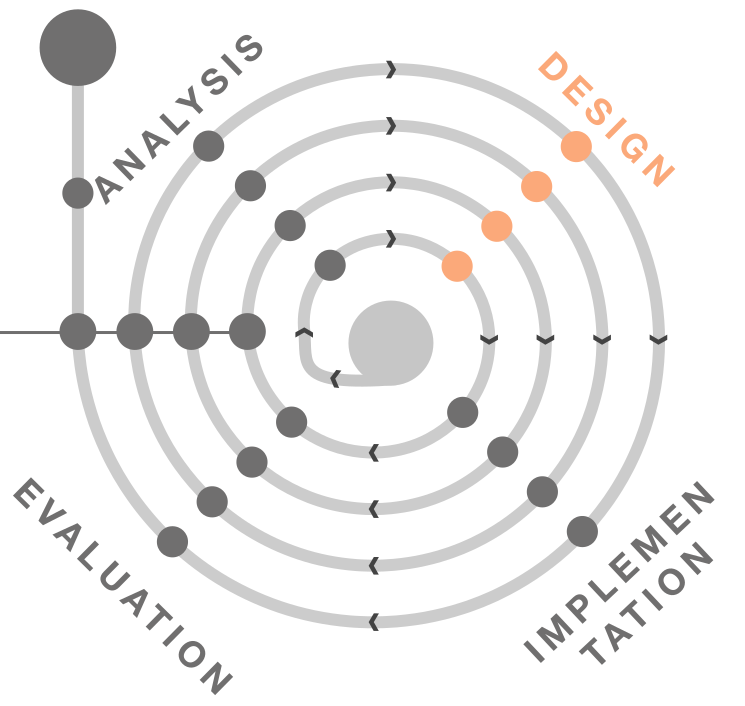
We will take a closer look at designing for several tasks. Feel free to already discover more about the methods: